 01
01Finds your games
Reads Steam, GOG and old disc installs. Anything it misses, you point it at once.
Remember these?
OG Launcher is a free Windows app that finds them on your PC, fixes them for today’s servers and gets you into a live server in one click.
40+ games and mods/Windows 10 and 11
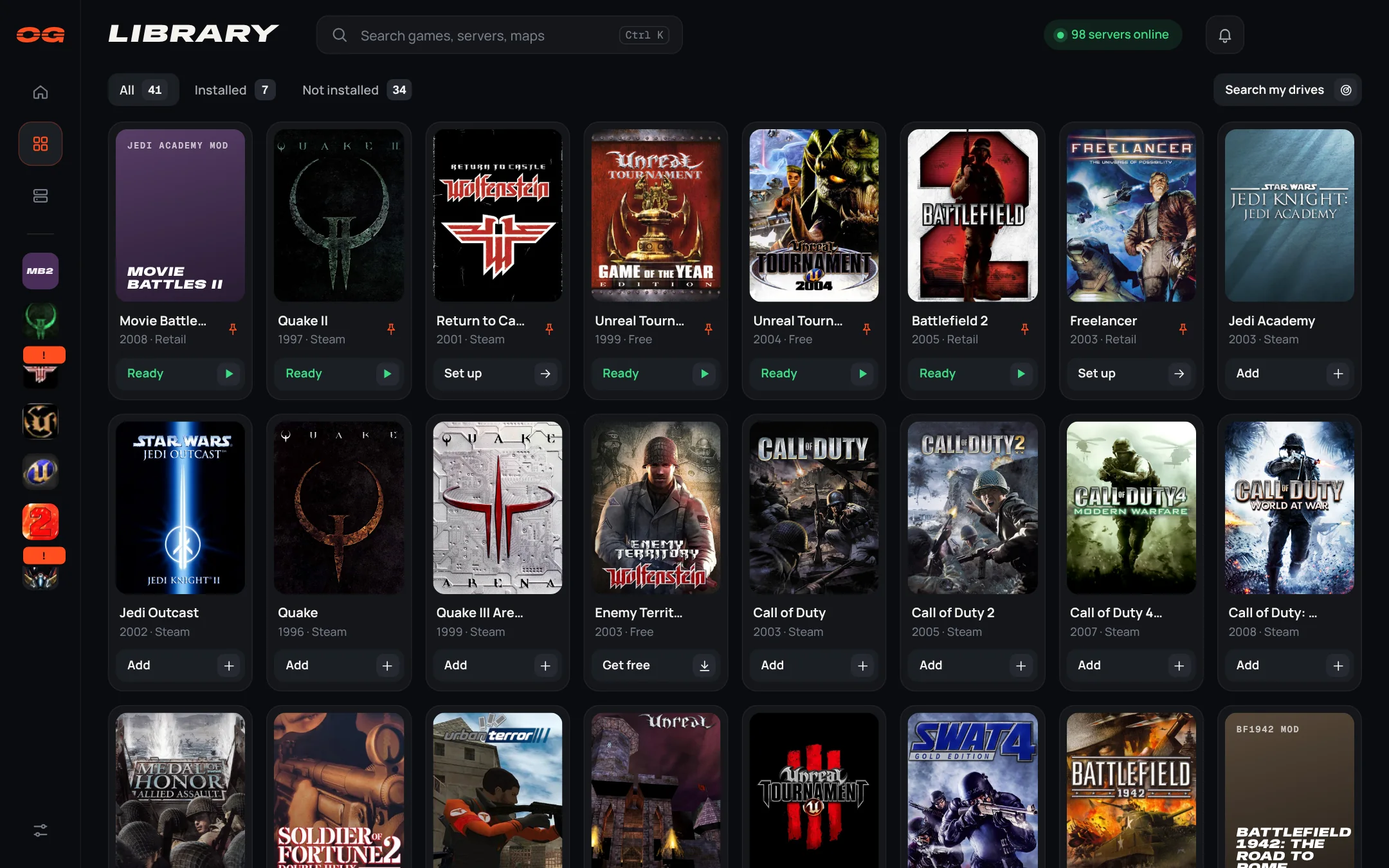
Finds the games already on your PC: Steam, GOG and old disc installs.
Adds the latest patches and community fixes, and backs up your original files.
Starts the game, ready to play online.
Every game's server list, working again.
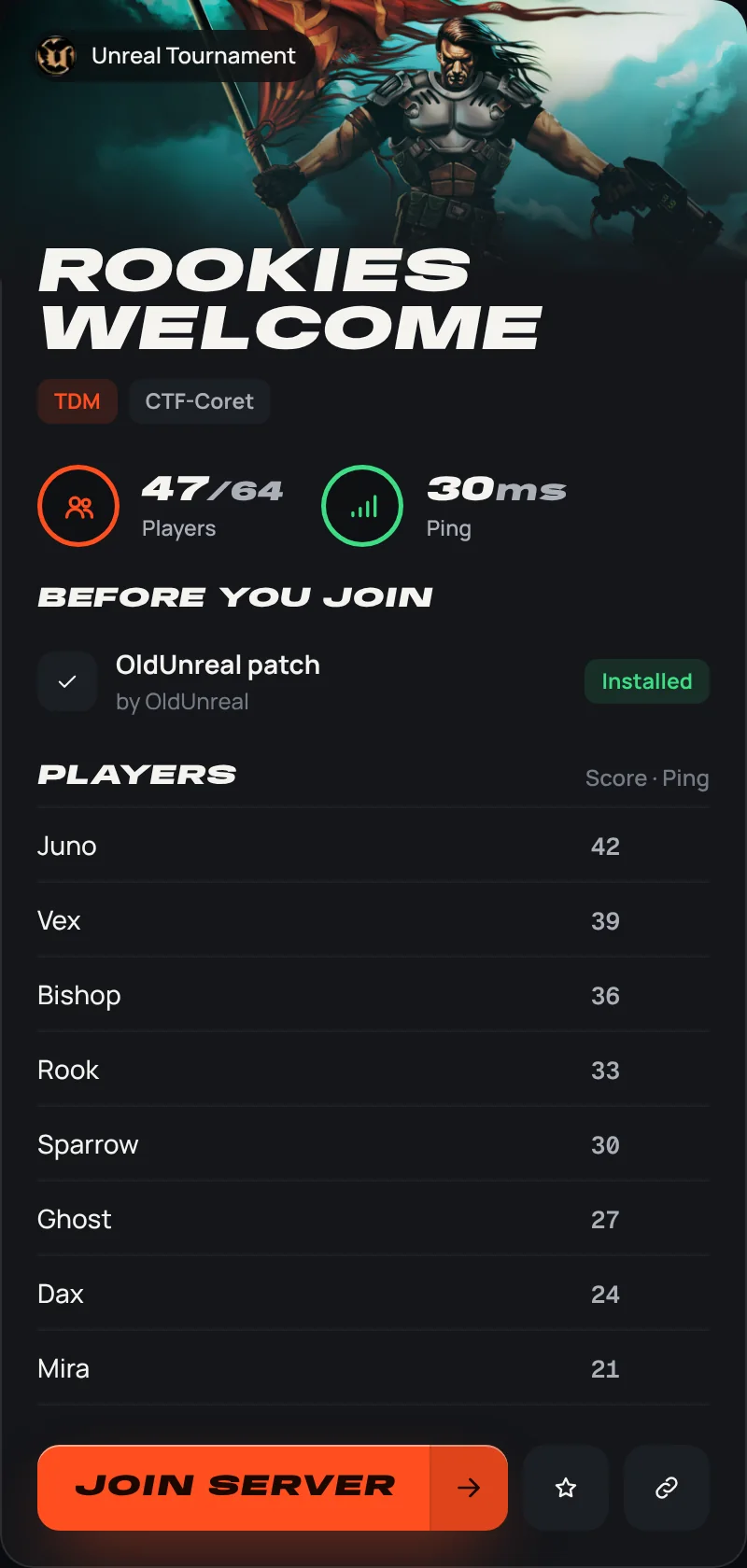
See who's playing. Join them in one click, or send a friend an invite link that sets their game up and drops them in next to you.
01Reads Steam, GOG and old disc installs. Anything it misses, you point it at once.
 02
02The patch or community client today's servers expect, marked as recommended. Your original files are backed up, and any fix can be undone.
 03
03Every game's community master servers, with map, mode, players and ping. Favourites and add by IP work everywhere.
 04
04Double-click a server and the launcher starts the right client with the address, and the password if it has one.
 05
05Invite links, one player name in every game, Discord status, and an alert when a server you like gets busy.
From Quake to Command & Conquer, with the community clients and mods that kept them going.
Game art belongs to its publishers and is shown to identify each game.
What OG Launcher does with your games and your PC.
No. Before a fix changes a game, OG Launcher saves a copy of every file it replaces, outside the game's folder. It only removes files when you ask it to, it only works in the game folders it found or you pointed it at, and it never touches your saved games.
Yes. Open the game in your library and choose Remove on the fix. OG Launcher puts your original files back and takes away only what the fix added. A few fixes come with their own installer, and you remove those like any other Windows program.
Games you already have stay where they are. Free games it downloads go in C:\OGGames, and community clients in C:\OGGames\Clients. You can change both in Settings.
For most of them, yes. OG Launcher finds the copy you already have from Steam, GOG or an old disc, or sets one up from your disc or disc image. Games that are free today, like Unreal Tournament, Enemy Territory and the classic Command & Conquer games, it downloads for you.
Patches and clients come from OG Launcher's own servers or straight from the people who make them. Files from our servers are checked against a fingerprint before anything is installed, so a damaged or changed download is thrown away.
Yes. OG Launcher is new, so Windows may show “Windows protected your PC” the first time. Choose More info, then Run anyway.
No. It installs for your Windows user only. If a game sits in a protected folder like Program Files, Windows asks your permission before a fix writes there.
It's free, with no account. A few community clients, like Plutonium for Call of Duty: World at War, need their own free account to play online.
Your games and any fixes stay as they are. If you want your original files back, remove the fixes in the launcher before you uninstall it.
No, OG Launcher is for Windows 10 and 11.